MANY BENEFITS. ALL AT ONCE.
Even though the Unleashed keeps things simple, it was developed to result in much more than just a geotagging experience. The Unleashed lets you geotag your photos in the most convenient way you can imagine, stays out of your way and is long-lasting through high, made-in-Germany quality. It even enables you to focus and trigger your camera remotely from your Bluetooth GPS receiver.
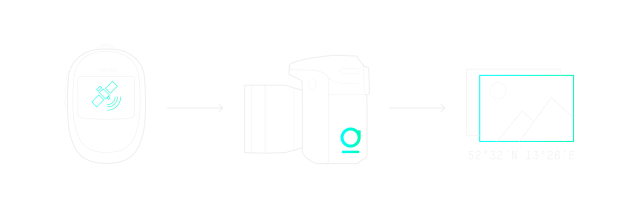
The most convenient way to do geotagging.
The Unleashed is directly connected to your camera and to an external GPS via Bluetooth. It knows your camera’s language and is able to write GPS data into the photos’ metadata right away, JPG or RAW. Whenever you take photos, the location is embedded in their EXIF data, so it can’t get lost – whether you change SD-cards, transfer them to the computer or make backups to external hard drives. You don’t have any additional work in post-processing and can load the photos directly into your photo software to see them on a map.
Geotagging. Many reasons to use it.
Sort and find photos.
Digital photography is getting bigger and bigger – and so are photo archives. Even personal collections often amount to sizes where finding your photos seems impossible. When did we take that trip to Norway again? Most of the time, it is easier to remember the place where you took a photo than when it was shot. The Unleashed enables you to search your photos by location and even display them on a map. Simply zoom in to Norway on your digital map and all photos you took there will show up.
Show friends and family where you travelled.
Travelling means seeing new places and meeting new people. What if you could get the exact travel route on a map including all the important photos and share them with your friends and family in the most beautiful way? Free, as well as advanced software like Flickr, Panoramio, Apple’s Photos or Lightroom support geotagged photos. Easily create amazing slideshows or astonishing photo books with attractive maps to show the exact location of each and every highlight that made the last vacation unforgettable.
Be a landscape and nature photographer.
Whether you’re taking photos of the earth’s most beautiful sceneries or its rarest animals, in both cases an instant documentation is highly useful. With geotagging you can easily return to the exact location to repeat a certain landscape shot or have the coordinates of where you made this breakthrough nature discovery.
Focus and trigger remotely.
Thanks to a cooperation with our friends from Bad Elf in the USA, the Unleashed lets you focus and trigger your DSLR via your Bluetooth GPS. Equipped with a display and an advanced menu you can now use the Bad Elf GPS Pro or GPS Pro+ to wirelessly control your camera via Bluetooth while at the same time geotagging your photos.
We Make Quality A Feature.
As a German company, foolography takes the aspect of product quality really seriously. We are convinced that no matter the product, its quality is just as important as any of its other features. From the first prototype to the final assembly and casing, all of our Unleasheds are manufactured in Germany and are shipped to you from our Headquarters in Berlin. Even though every Unleashed travels quite a distance until its final quality check in Berlin, we believe in the end it’s worth it. We are proud to be able to say that our products are: Made in Germany.
Get Unleashed.
Return to unique photo locations. Relive beautiful memories. Take yourself and your camera to the next level. Add wireless direct geotagging to your DSLR.